
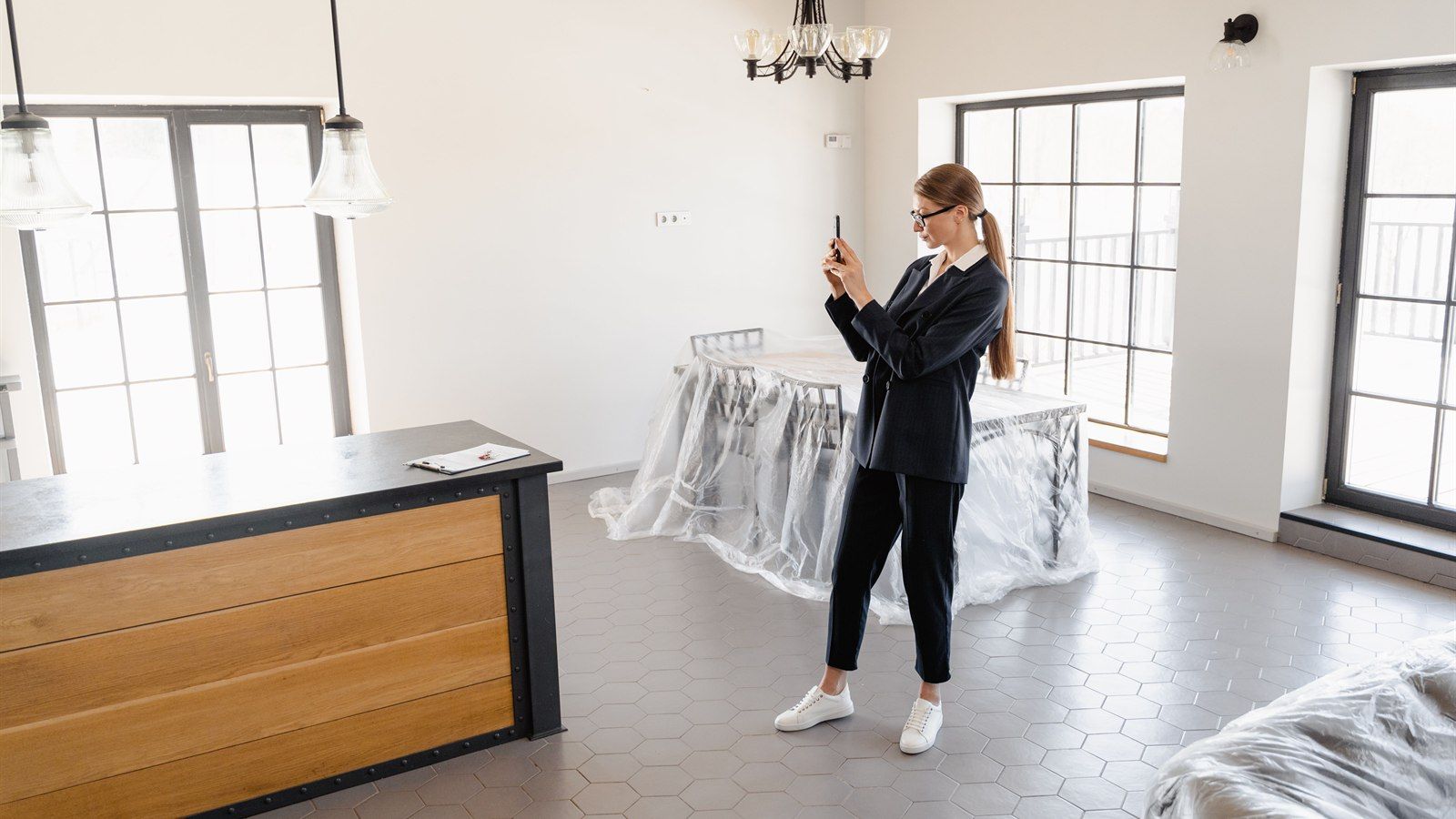
Yes, listing photos can be retaken—but “we can fix them later” should not be the plan. Once the home goes live, the first wave of buyers has already seen it. If the photos make the layout confusing or the property look unfinished, many buyers will move on instead of waiting for an update.
Listing photography is not about making a home look better than it really is. It should help buyers understand the space, condition and strongest features on a phone screen. A photographer can manage light, angle and composition; the seller still has to finish repairs, cleaning and editing the rooms.
A common shoot-day problem
The photographer arrives as the kitchen counters are being cleared. The coffee maker, cords and paper bags move into the breakfast area. Bathroom products go into the tub. A laundry basket moves to a secondary bedroom. Cars remain in the driveway and the garden hose is still across the patio.
Each time one room is photographed, the clutter moves into the next. The shoot runs long, every room looks almost ready, and objects change position from image to image. Editing can refine a photograph; it cannot reasonably rebuild the whole property or create features that were not present.
What do listing photos actually affect?
Photos do not set the final sale price, and they cannot replace accurate pricing or sound property condition. They do affect whether a buyer opens the listing, understands the layout, adds the home to a showing list and gives the property a serious first look.
The goal is not to make every frame look like a magazine. The goal is to be accurate, easy to understand and intentional about which features buyers see first.
What photography can—and cannot—solve
Photography can improve
Camera height and angles that explain how rooms connect
Balanced interior and exterior exposure so windows or rooms are not lost
Minor horizontal and vertical alignment issues
Image order that moves logically from exterior to living spaces, bedrooms and yard
Photography cannot fix
Real clutter on counters, floors, beds and furniture
Visible damage, unfinished work, wall marks, burned-out bulbs or cleaning problems
Crowded rooms or an empty room whose scale is hard to understand
Odor, noise, temperature, maintenance or problems buyers will find in person
A price that does not fit the market or a listing that omits essential information
Listing-photo readiness: three checkpoints
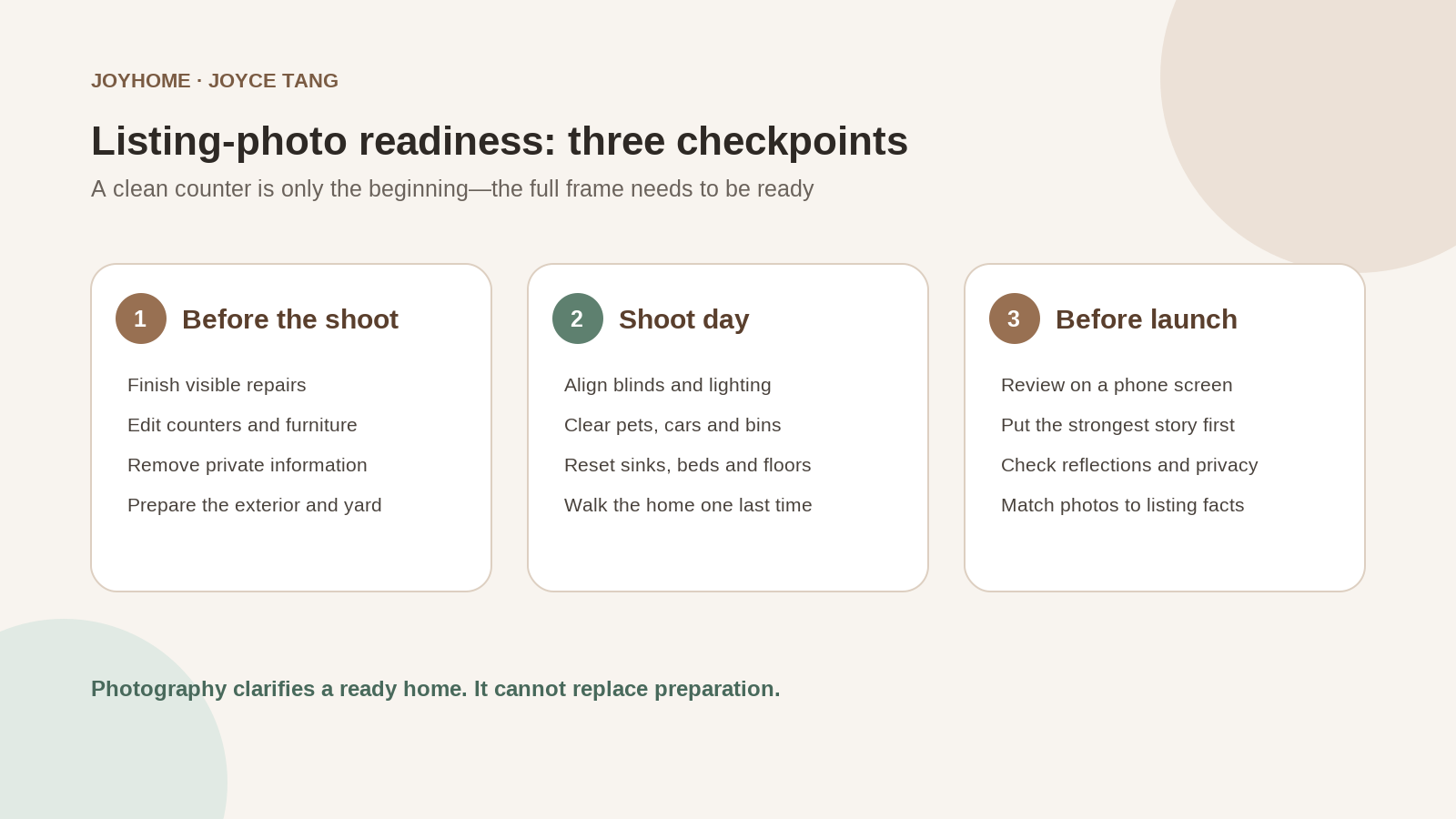
Separating the work into three checkpoints is more reliable than moving everything at the last minute.
The day before: prepare the home that will be inside the frame
Finish visible repairs and cleaning
Patch obvious wall holes, replace burned-out bulbs and address loose handles, hanging cords, dirty doors and spotted mirrors. Paint cans, tools and cleaning supplies should also leave the frame before the shoot begins.
Edit the rooms; do not empty them blindly
Keep furniture that helps buyers understand a room and remove the extra tables, chairs, toys, exercise equipment and layers of décor that interrupt the sightline. Do not solve every room by stuffing the closets or garage; those spaces may also be photographed and shown.
Handle privacy before the camera arrives
Family photographs, names, bills, school information, identification, medication, keys, calendars, computer screens and recognizable work documents should not depend on digital blurring. Remove them or secure them in a location that will not be photographed.
Prepare the exterior too
Put away bins, hoses, tools and toys; clear the entrance, doormat and obvious weeds; and arrange for vehicles to leave the driveway. The exterior image should introduce the home, not the seller’s daily storage.
Shoot day: walk the home in camera order
Make the beds, close toilet lids, clear sinks and showers, and remove tissue boxes, cleaners and small trash cans
Align blinds and curtains; let the lighting approach stay consistent instead of mixing cold and warm bulbs from room to room
Turn off ceiling fans and screens, then inspect mirrors, glass, oven doors and stainless appliances for reflections
Remove pets along with food bowls, litter boxes, crates and leashes from the home or from a clearly excluded area
Move vehicles, bins and yard equipment, and make sure the pool, patio and yard are ready to be shown
Have occupants step away so reflections, movement and last-minute belongings do not enter the frame
I usually walk from the front door in the order a buyer will view the images: exterior, entry, main living areas, kitchen, primary suite, secondary rooms, utility spaces and yard. At every stop, check both what the camera faces and what may be reflected behind it.
Each room has a different job
Kitchen
A few useful objects are enough. When the refrigerator front, island, cooktop and sink area are clear, buyers can see counter space, cabinetry and flow. Leaving every small appliance out does not create useful “lifestyle.”
Living and dining areas
Check whether furniture blocks windows, a fireplace or a walkway. The room needs enough furniture to explain scale, but not so much that circulation looks difficult.
Bedrooms
The bed anchors the image, so wrinkles in bedding, bed skirts and pillows become obvious. Remove charging cords, medication, cups and personal photographs from nightstands, then check behind doors and under the bed.
Bathrooms
Vanities, mirrors and glass doors show water spots and clutter quickly. Keep towels simple and limited. Toilet brushes, bins, scales and daily products usually add no value to the image.
Garage, laundry and storage
These spaces do not need living-room styling, but buyers should be able to understand their use and approximate size. Keep a clear floor path and avoid blocking equipment, doors or storage systems with stacks of boxes.
Occupied and vacant homes need different preparation
An occupied home needs fewer personal details and less visual noise while still showing how the rooms function. A vacant home exposes wall, floor and scale issues more clearly. If an important room is difficult to understand when empty, selective physical staging may help more than placing virtual furniture over a condition problem.
When virtual staging is used, keep the original vacant images available and label the altered images clearly. Do not add permanent finishes, views or property features that do not exist.
Review the images again before launch
Start with a phone screen
Buyers often see a thumbnail and a mobile gallery, not a full monitor. Confirm that the lead exterior image is clear, the strongest features appear early and each image remains understandable at a smaller size.
Let the order explain the home
More photos are not automatically better. Repeated angles slow the buyer down, while too few photos can make a missing space feel suspicious. Use the most informative angles and keep the sequence close to the physical flow of the property.
Check reflections and privacy
Zoom into mirrors, windows, appliances and screens. Confirm that no photographer, occupant, license plate, document or address information slipped into the frame.
Match the images to the listing facts
Room use, outdoor features and attached items should be consistent with the formal listing information. Do not mix photographs from different renovation stages or use old images that imply the property still looks the same today.
When is a reshoot worth it?
Repairs, paint, flooring or staging materially changed how buyers will evaluate the home
The original images are dark, tilted, color-shifted or fail to explain the main rooms
A yard, study, garage, view or other important feature was omitted
The lead image and sequence do not support the current marketing story
Weather or seasonal conditions produced a real and meaningful exterior improvement
A reshoot should update the logic of the whole set, not drop two new images randomly into the old gallery. Large differences in furniture, color, season or condition between old and new images can create more confusion.
If the photos are already clear, complete and accurate but showings remain weak, the issue may be price, condition, access or current competition. A brighter photo cannot solve every reason buyers are passing.
Common seller mistakes
Waiting for the photographer to start decluttering
Shoot time should be used for light and composition, not for moving the same belongings from room to room.
Expecting editing to fix everything
Editing can correct an image. It should not manufacture repairs, space or property features that do not exist. Heavy editing also creates disappointment when the buyer arrives.
Preparing the interior and ignoring the exterior
Bins, cars, dead planters, packages and yard tools often appear in the first image or in the outdoor spaces buyers care about most.
Using many images without a clear priority
Six nearly identical living-room angles communicate less than two or three images that separately explain scale, light and the relationship to the kitchen. Quantity is not completeness.
Frequently asked questions
How late is too late to retake listing photos?
Correct an obvious problem as soon as possible, but first confirm whether the problem is the photography, the home’s preparation, the price or missing information. Replacing the gallery does not automatically reset the market’s view of the listing.
Can a phone replace professional real estate photography?
A phone is useful for condition records and temporary updates. Formal listing images still need consistent composition, exposure, wide-angle control and output. The decision is about the home, budget and marketing plan—not only the device’s megapixel count.
Does every room need to be photographed?
Not every small area needs its own frame, but major bedrooms, living areas, the kitchen, key utility spaces and meaningful outdoor features should not disappear without a reason. Omitting a major room often creates more questions.
Can I hide everything in the closets?
A small amount of orderly storage is fine, but do not fill every closet, garage bay or storage room. Buyers will evaluate those spaces during showings, and overfilling can make the home’s storage feel inadequate.
Related reading
The complete Houston home selling guide
Is home staging worth it when selling in Houston?
Does every Houston home need an open house?
Joyce's Featured Listings

AI-generated illustration: a Greater Houston housing scene, not a real or currently available listing.
After reviewing the photo-preparation checklist, browse Joyce's Featured Listings to see how current homes use image order, room presentation and key details to help buyers understand the property.
View Joyce's Featured Listings →
Preparing to list and unsure what still needs attention before the shoot?
Send me the address, expected launch date, whether the home is occupied and the rooms or preparation issues you are most concerned about. I can help separate what should be finished before photography from what belongs in staging, listing information or the broader marketing plan.
About Joyce Tang

Joyce Tang is a Greater Houston real estate agent and investor, co-founder of the North American Real Estate Association, founder of JoyHome and JoyNest, and co-leader of the Dr. Wang Real Estate Team.
She has helped more than 200 families buy or sell homes and has participated in more than 40 renovation projects. Her approach examines not only price, but also location, carrying cost, cash flow, risk and future exit options.
Disclaimer
This article provides general home-preparation, listing-photography and marketing information. It is not a property-specific valuation, photography-service commitment, privacy or security plan, and it does not promise a number of showings, offers or a sale result. Image content, virtual-staging labels, listing information and privacy treatment should be confirmed for the property, local MLS rules and applicable requirements.